3D to PixelArt [Free]
Turn 3D Models into Pixel Art in Seconds
Create ready-to-use pixel art from any 3D model — without manually redrawing every single pixel.
3D to Pixel is a simple, free, browser-based tool that lets you turn 3D models into pixel art graphics.
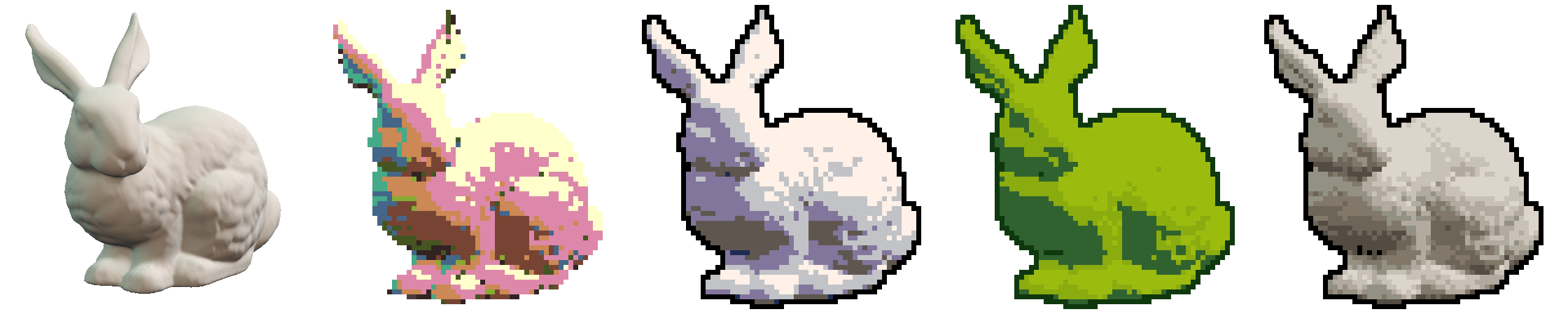
Upload your model, choose the right angle and style, adjust the settings, and export the finished image as a PNG. That’s it! No unnecessary complexity — just upload, frame, customize, and download.
I created this app mainly for quickly prototyping 2D games, but it can also be used to create game assets, items, pixel art animations, icons, sprites, and many other things I probably haven’t even thought of yet :D
If you enjoy using the tool, don’t forget to support the project!
Key Features
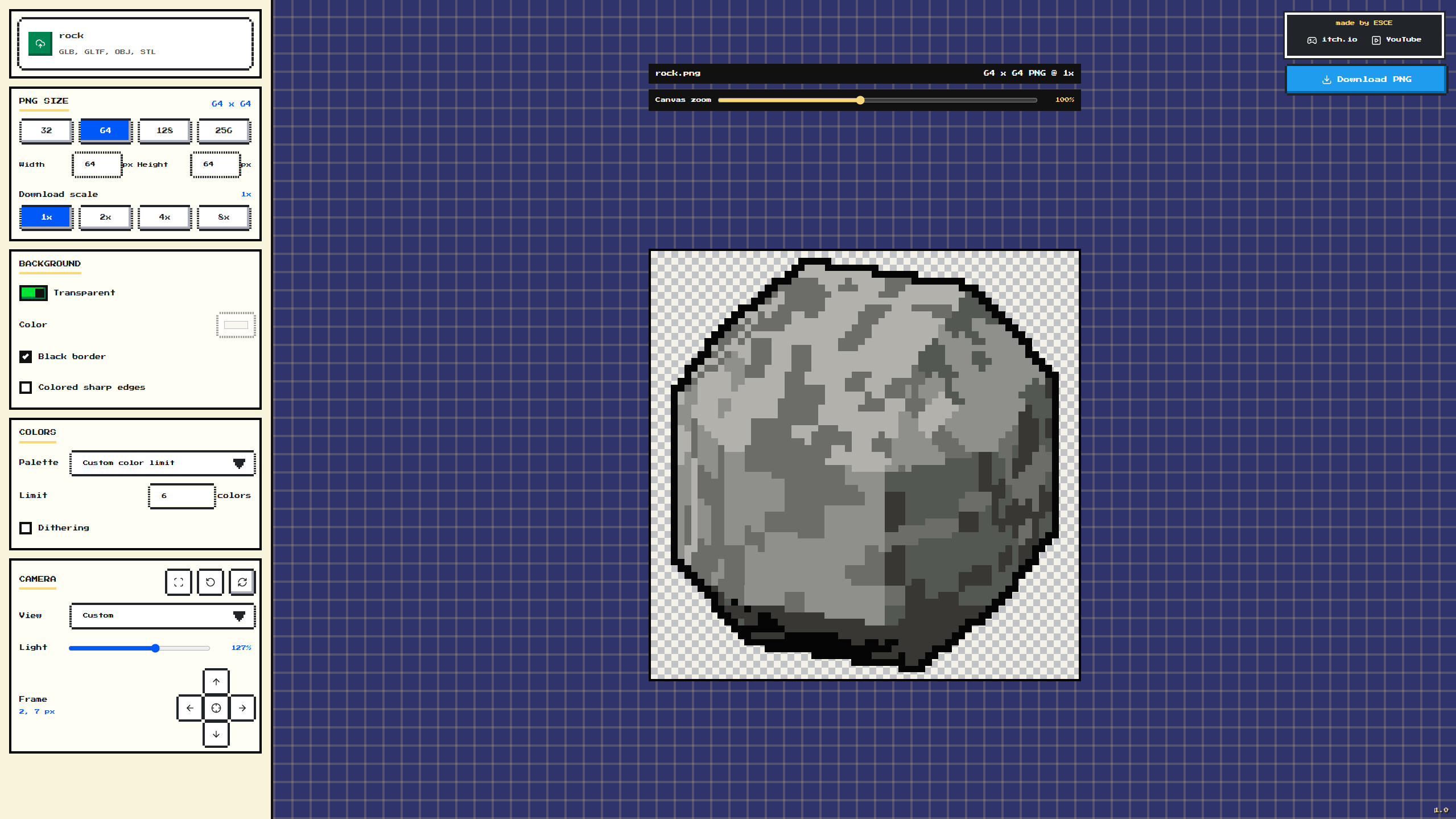
- Import GLB, GLTF, OBJ, and STL models
- Export finished graphics as PNG files
- Resolutions ranging from 16 × 16 to 512 × 512 px
- Transparent background or a custom background color
- Automatic black outline around the model
- Colored highlighting of sharp edges
- Custom color count limit
- Dithering for a classic retro look
- Built-in palettes, including Game Boy, CGA, NES-like, PICO-8, DawnBringer, AAP-16, Sweetie, and Endesga
- Multiple camera presets, including isometric, dimetric, trimetric, 3/4 view, top-down, and orthographic
- Adjustable zoom and lighting
- Automatic model rotation
- Precise pixel-by-pixel object positioning
- Real-time preview
- Drag-and-drop file support
Leave a comment
Log in with itch.io to leave a comment.